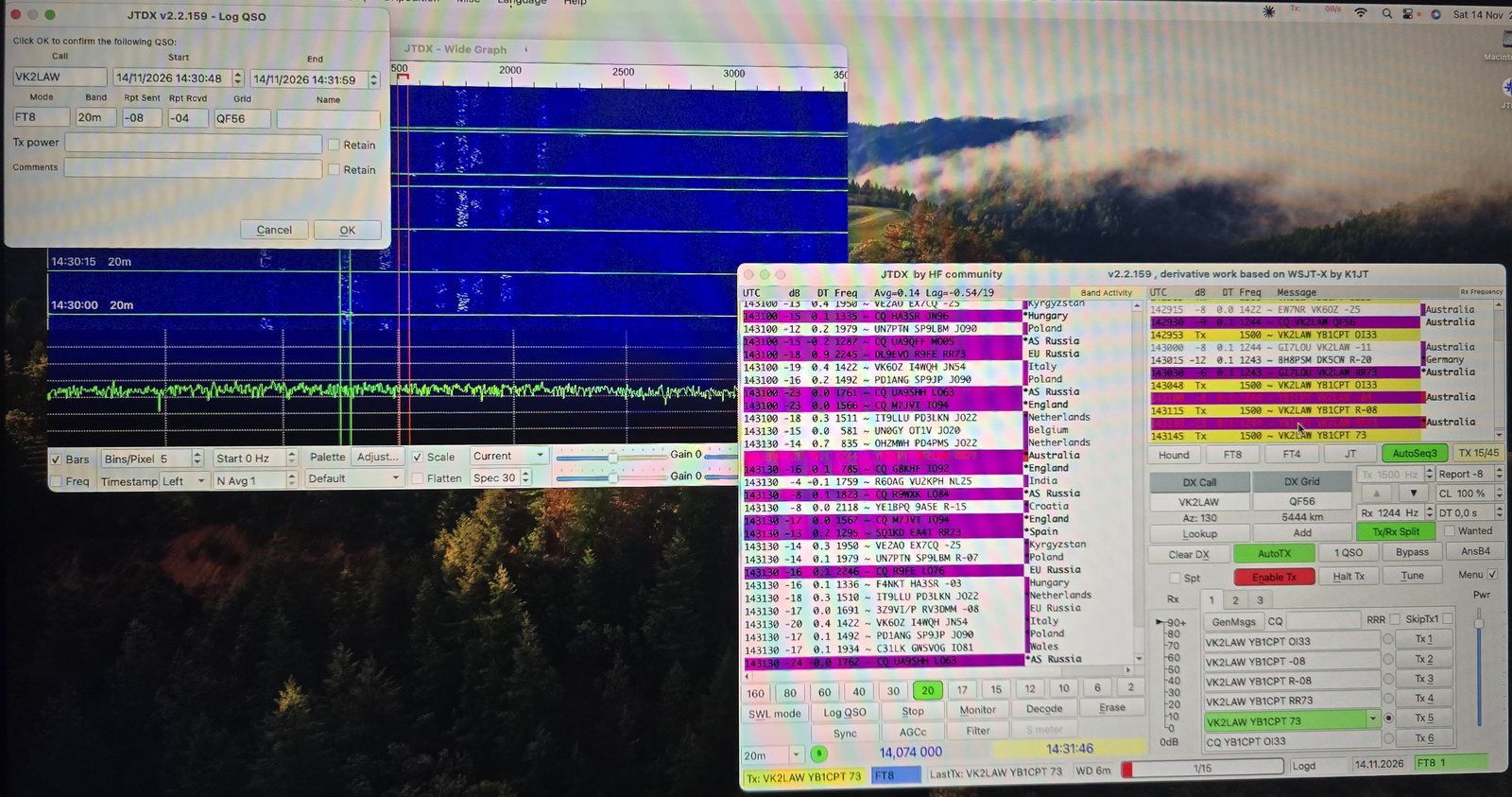
One evening, one old desktop turned Hackintosh, a Yaesu FT-857D and a little Digirig interface. The goal was simple: run FT8 from macOS with JTDX, the program I always use on Windows. It was not a straight road. There was a shared memory error, a crash that left no crash report, and an audio level that would not come down. But by the end of the night the log held its first QSOs, including a 5,444 km contact with Australia on 20 m. Here is the whole session, step by step, including the traps.
What I used
- Computer: my home desktop running as a Hackintosh: Intel Core i5-4570, Radeon RX 5500 XT, macOS Sonoma (OpenCore)
- Radio: Yaesu FT-857D
- Interface: Digirig with the dedicated cable for the Yaesu FT-857/897 series. One USB cable to the computer carries a sound card plus a serial port for CAT
- Software: JTDX 2.2.159. First the official build, later the "improved" build (you will see why)
1 · Download the right JTDX build
The latest official JTDX is still 2.2.159. On SourceForge the macOS folder has several flavours. For a Hackintosh (Intel CPU) with a Digirig you want:
- 16-bit_audio: the Digirig's sound chip is a 16-bit USB codec
- Darwin-x86_64: for Intel Macs on current macOS. arm64 is for Apple Silicon, and ODarwin is for old macOS versions
When Sonoma refuses to open the app from an "unidentified developer", use System Settings → Privacy & Security → Open Anyway, or run xattr -cr /Applications/JTDX.app in Terminal. Also allow JTDX to use the microphone, otherwise the waterfall stays empty.
2 · Trap one: "Unable to create shared memory segment"
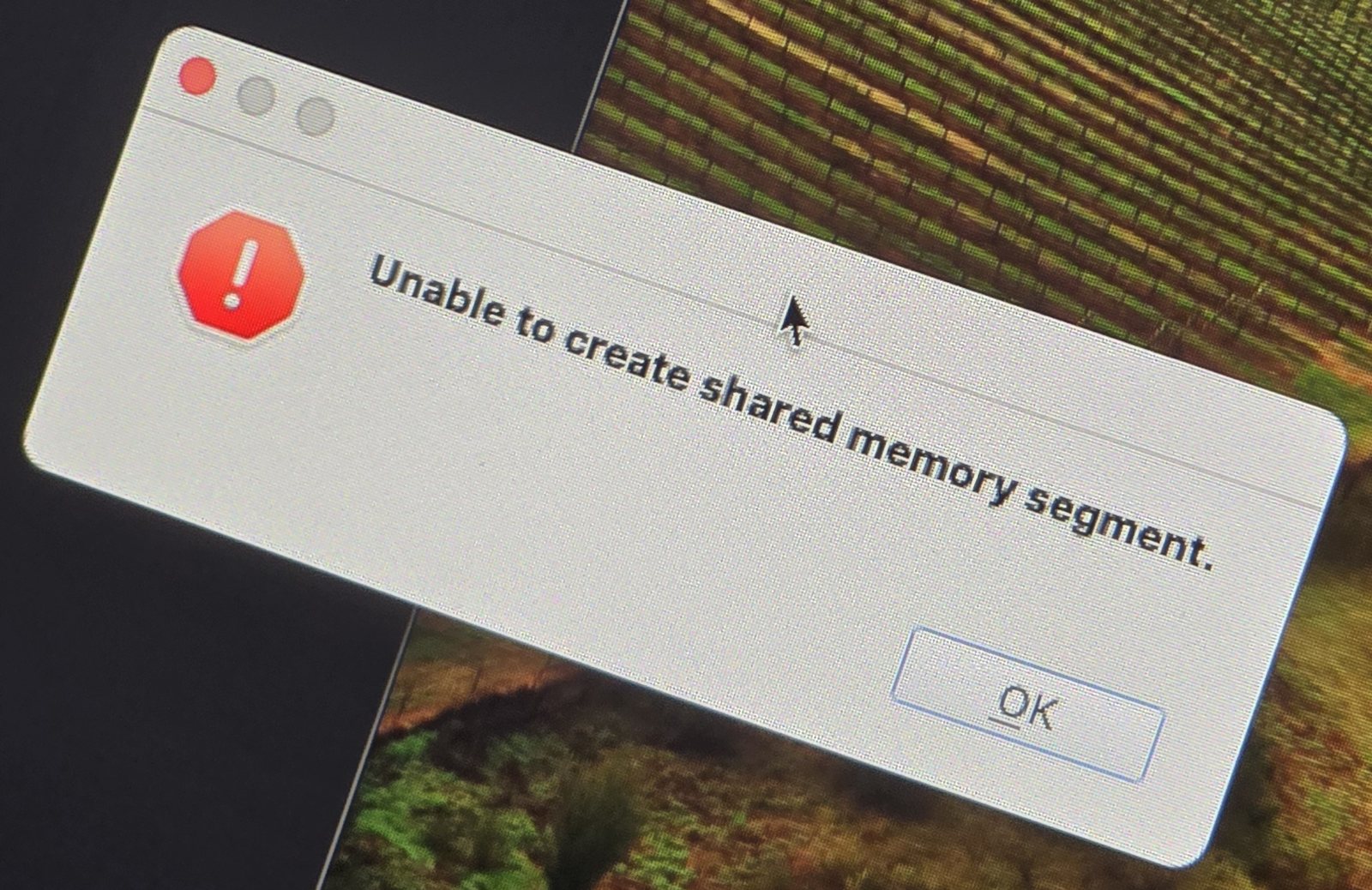
JTDX and WSJT-X hand audio to their decoder through a shared memory block, and macOS allows only a tiny one by default. The fix is to raise the limit. To test it right away (valid until the next restart):
sudo sysctl -w kern.sysv.shmmax=104857600 kern.sysv.shmall=25600To make it permanent on Sonoma, I used a small LaunchDaemon instead of the old /etc/sysctl.conf, which newer macOS versions do not reliably read at boot. Save this as /Library/LaunchDaemons/com.jtdx.sysctl.plist (owner root:wheel, mode 644) and restart:
<?xml version="1.0" encoding="UTF-8"?>
<!DOCTYPE plist PUBLIC "-//Apple//DTD PLIST 1.0//EN" "http://www.apple.com/DTDs/PropertyList-1.0.dtd">
<plist version="1.0">
<dict>
  <key>Label</key><string>com.jtdx.sysctl</string>
  <key>ProgramArguments</key>
  <array>
    <string>/usr/sbin/sysctl</string>
    <string>-w</string>
    <string>kern.sysv.shmmax=104857600</string>
    <string>kern.sysv.shmall=25600</string>
  </array>
  <key>RunAtLoad</key><true/>
</dict>
</plist>
After the restart, sysctl kern.sysv.shmmax kern.sysv.shmall should report 104857600 and 25600. JTDX then opened normally.
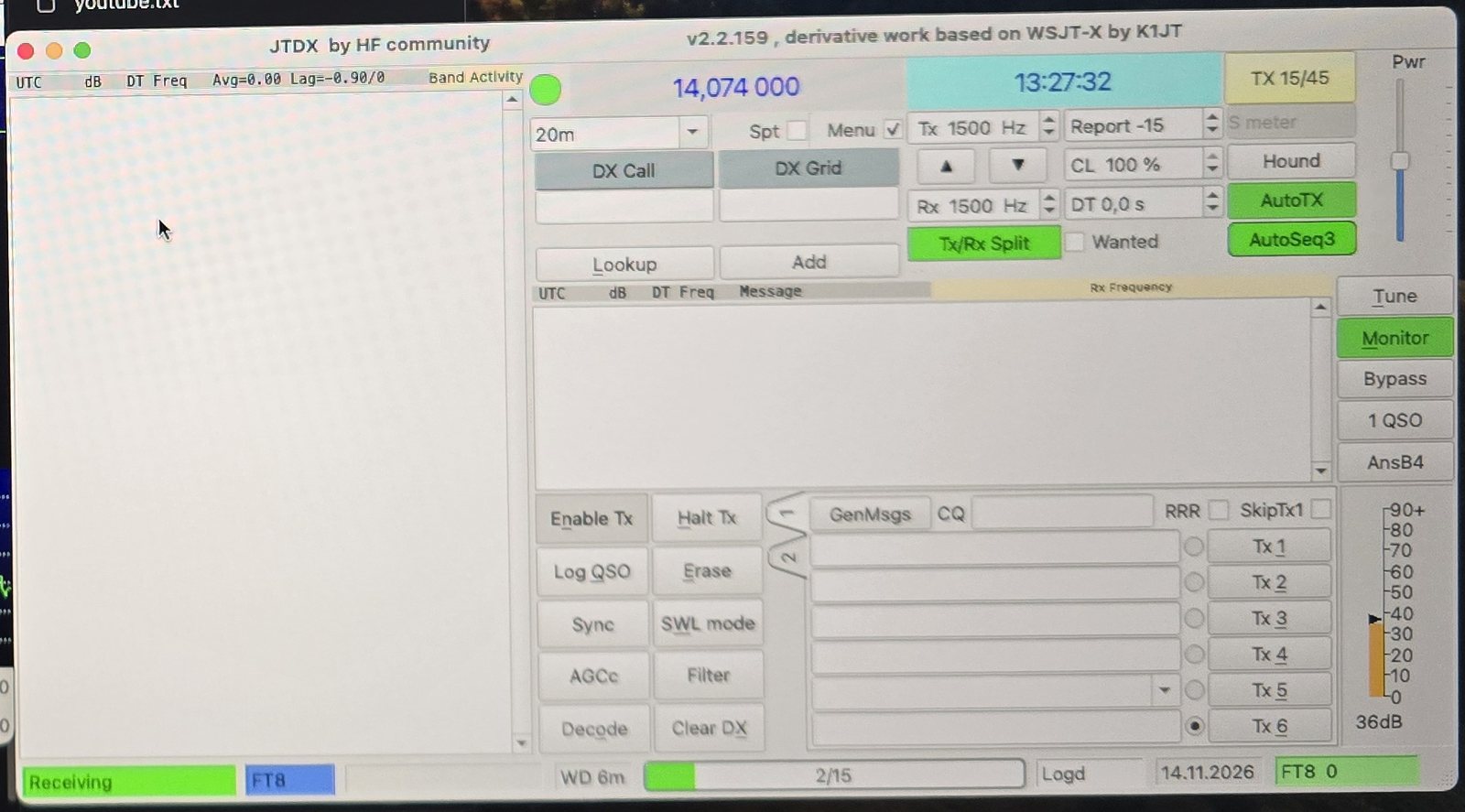
3 · Plug in the Digirig
Sonoma recognises the Digirig's serial chip without any extra driver. In Terminal, ls /dev/cu.* showed a new port, /dev/cu.usbserial-14A20 on my machine. Yours will have a different suffix. The sound card appears as "USB Audio Device". In Audio MIDI Setup I set it to 48,000 Hz.

cu.serial1 and cu.pci-serial22; those belong to the motherboard.4 · On the FT-857D
| Menu item | Value | Why |
|---|---|---|
| CAT RATE | 38400 | Must match the baud rate in JTDX |
| CAT/LIN/TUN | CAT | The rear CAT socket is used for computer control |
| DIG MODE | USER-U | Upper-sideband data mode for FT8 |
| DIG VOX | 0 | PTT comes over CAT, not from audio VOX |
| Operating mode | DIG | Takes transmit audio from the DATA socket instead of the microphone |
Menu numbers differ slightly between FT-857 and FT-857D firmware, so look the items up by name in your manual.
5 · JTDX settings
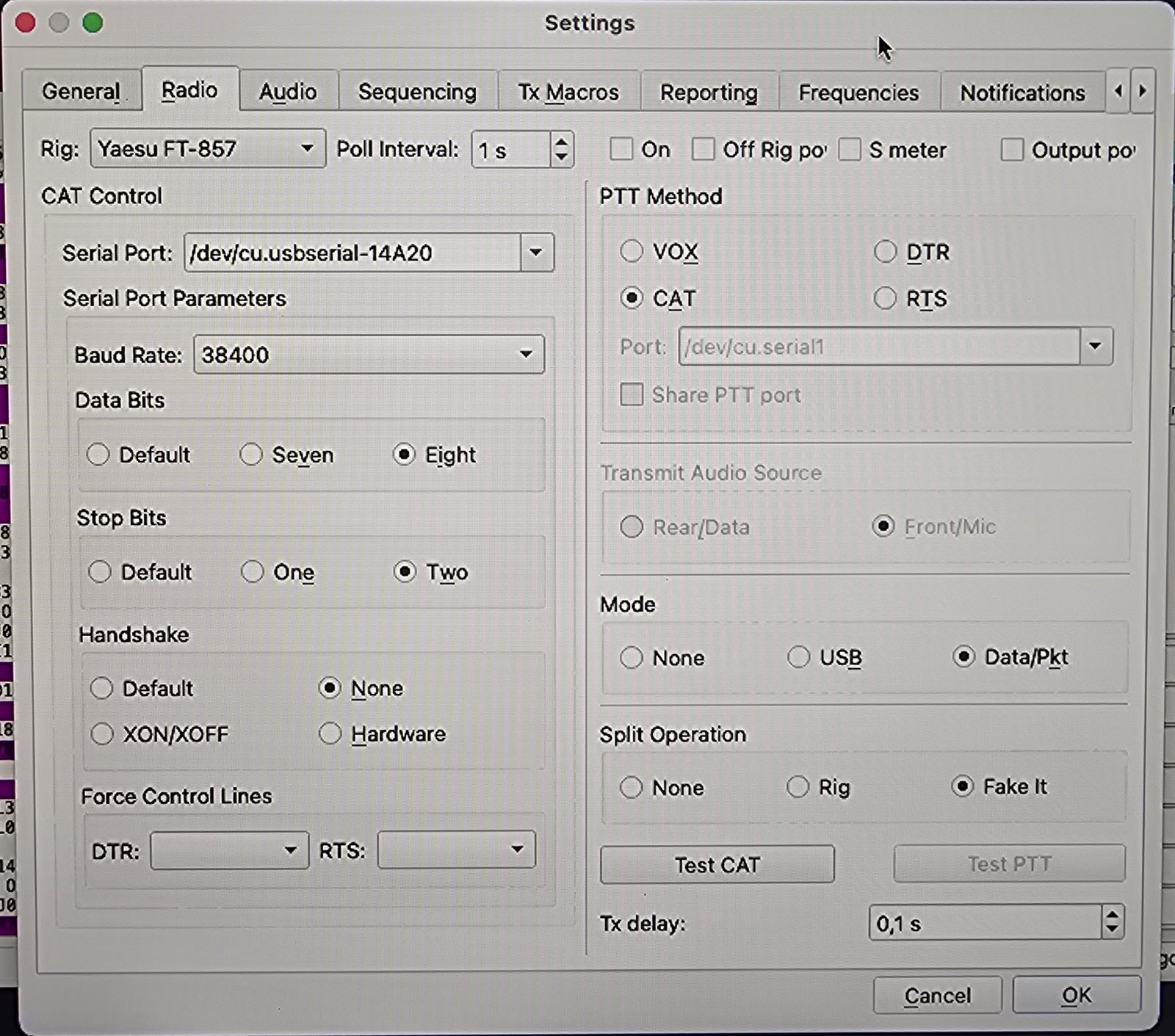
A note for Windows users: on macOS the settings are not under File → Settings. They are under JTDX → Preferences… (or ⌘ + ,).
| Tab | Setting | Value |
|---|---|---|
| General | My Call / My Grid | YB1CPT / OI33 |
| Radio | Rig | Yaesu FT-857 |
| Radio | Serial Port | /dev/cu.usbserial-xxxx (the Digirig) |
| Radio | Baud / Data / Stop / Handshake | 38400 / Eight / Two / None |
| Radio | PTT Method | CAT |
| Radio | Mode | Data/Pkt |
| Radio | Split Operation | Fake It |
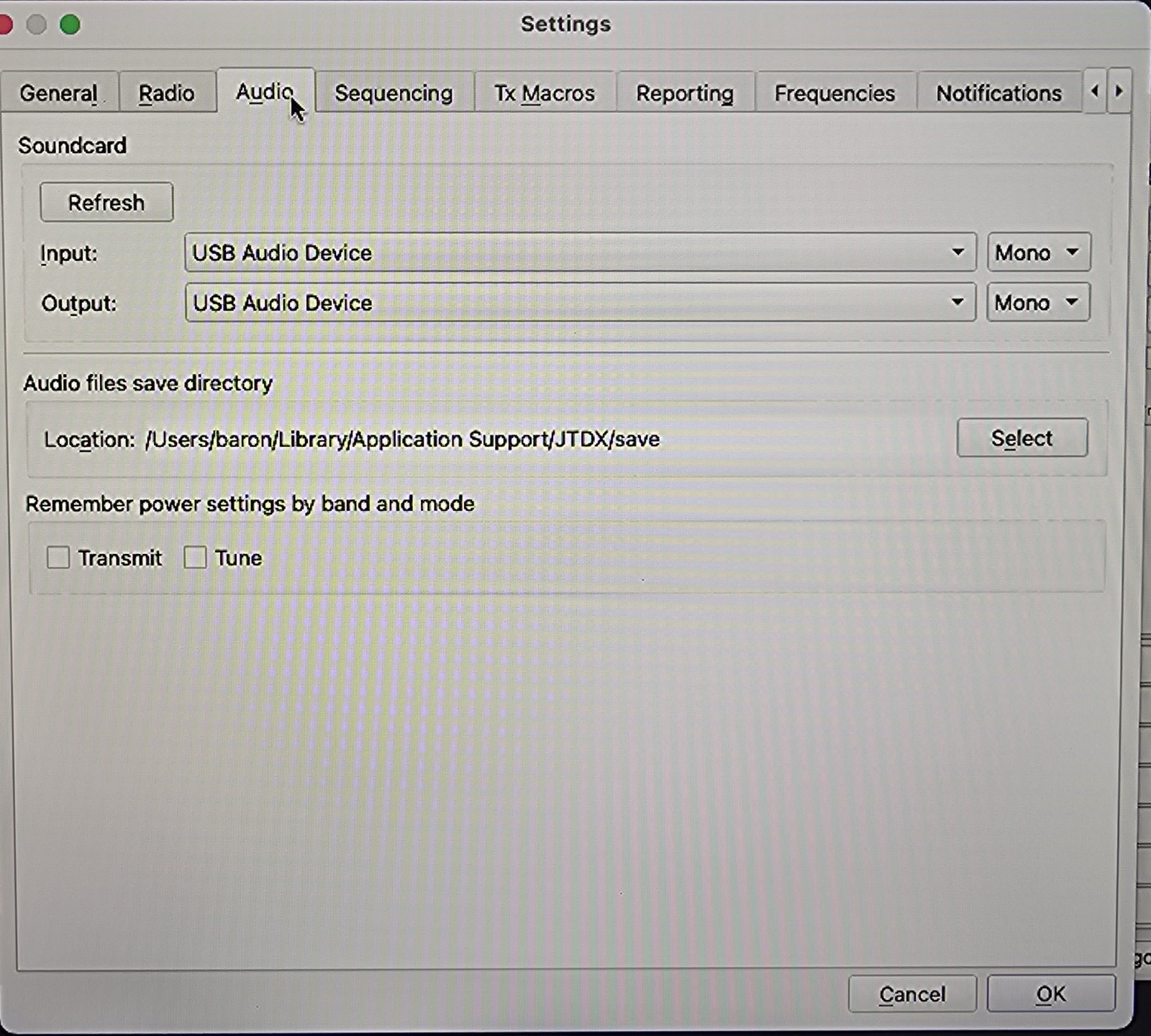
| Audio | Input / Output | USB Audio Device, Mono |
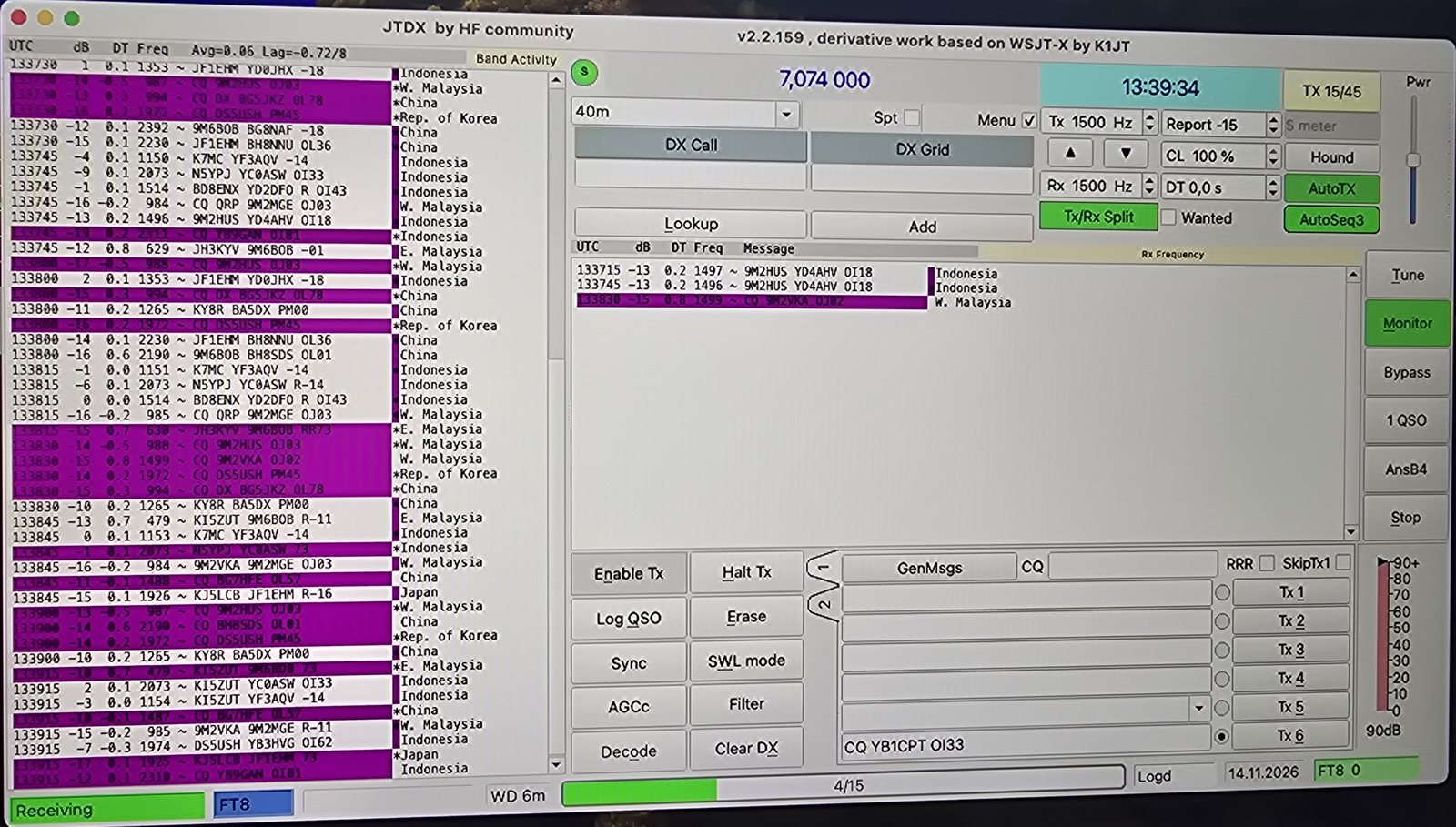
With Test CAT green and the frequency following the VFO, the band list filled up straight away on 40 m: Japan, China, Korea, Malaysia and plenty of YB stations.
6 · Trap two: receive audio far too hot
JTDX's input meter sat at 88–90 dB, in the red, where around 30–50 dB is ideal. Lowering the Digirig's input volume in Audio MIDI Setup to almost nothing (0.04) barely moved it. This is a known combination problem: the FT-857's DATA socket delivers a fixed, fairly strong receive level with no menu to turn it down, and the Digirig's codec does not attenuate much in software.
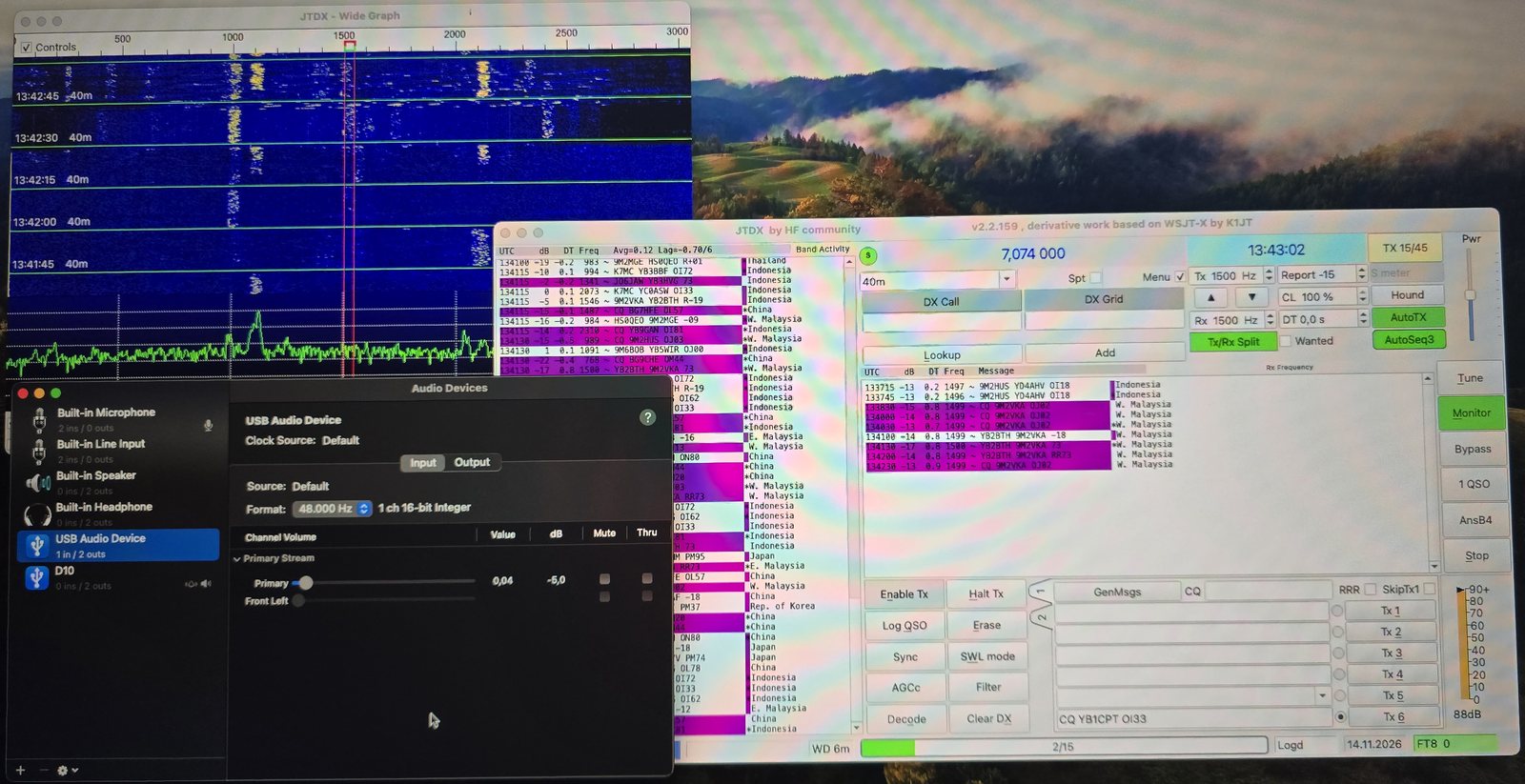
Decoding still works, as the screenshots show. But a very strong station can clip the audio and hide weak ones nearby. The proper cure is a hardware one: the Digirig has an "ATT" pad on its circuit board that gives roughly 20 dB of receive attenuation. That modification is the subject of the next article.
7 · Trap three: JTDX vanishes on double-click
On Windows I double-click a station calling CQ and JTDX starts the QSO. Here, the first double-click made JTDX simply disappear. No dialog appeared, and macOS saved no crash report. Starting JTDX from Terminal showed why:
/Applications/JTDX.app/Contents/MacOS/jtdx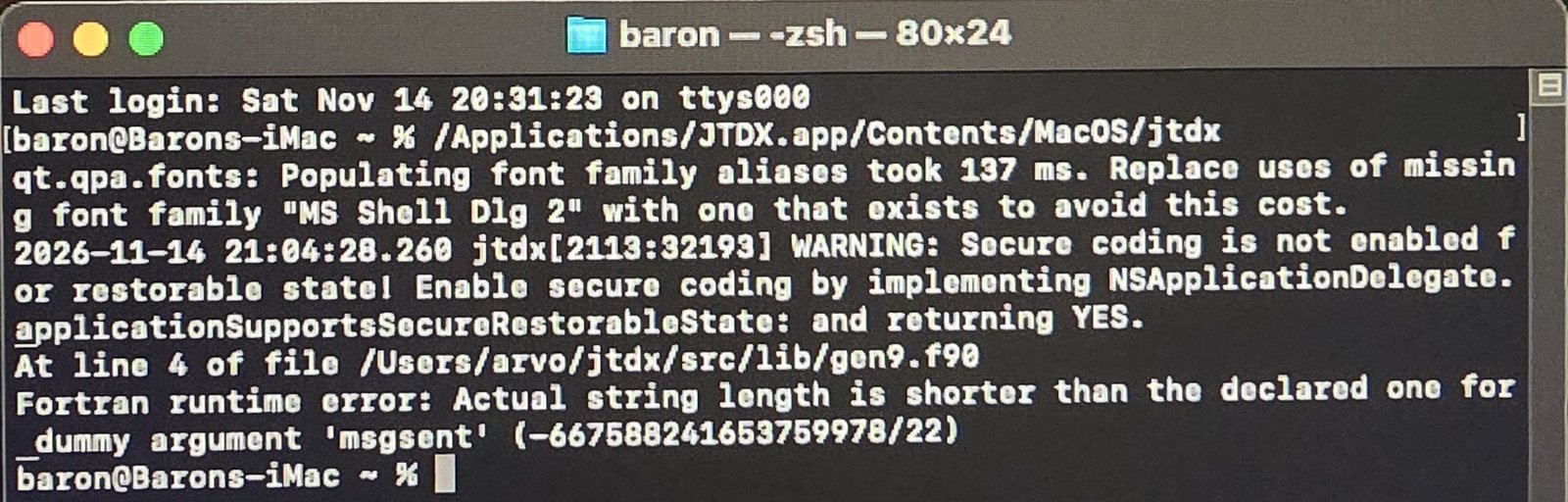
gen9.f90, after which JTDX quits.This is a known bug in the official JTDX 2.2.159 macOS build. Other Sonoma users report the same thing: decoding works, but the program closes when you click a call, answer a CQ, or someone answers yours. The solution was the JTDX "improved" build, which is based on the same 2.2.159. Pick the JTDX_GUI_Darwin-x86_64 file if you want the familiar JTDX layout. My settings carried over, and the shared memory fix stays in place.
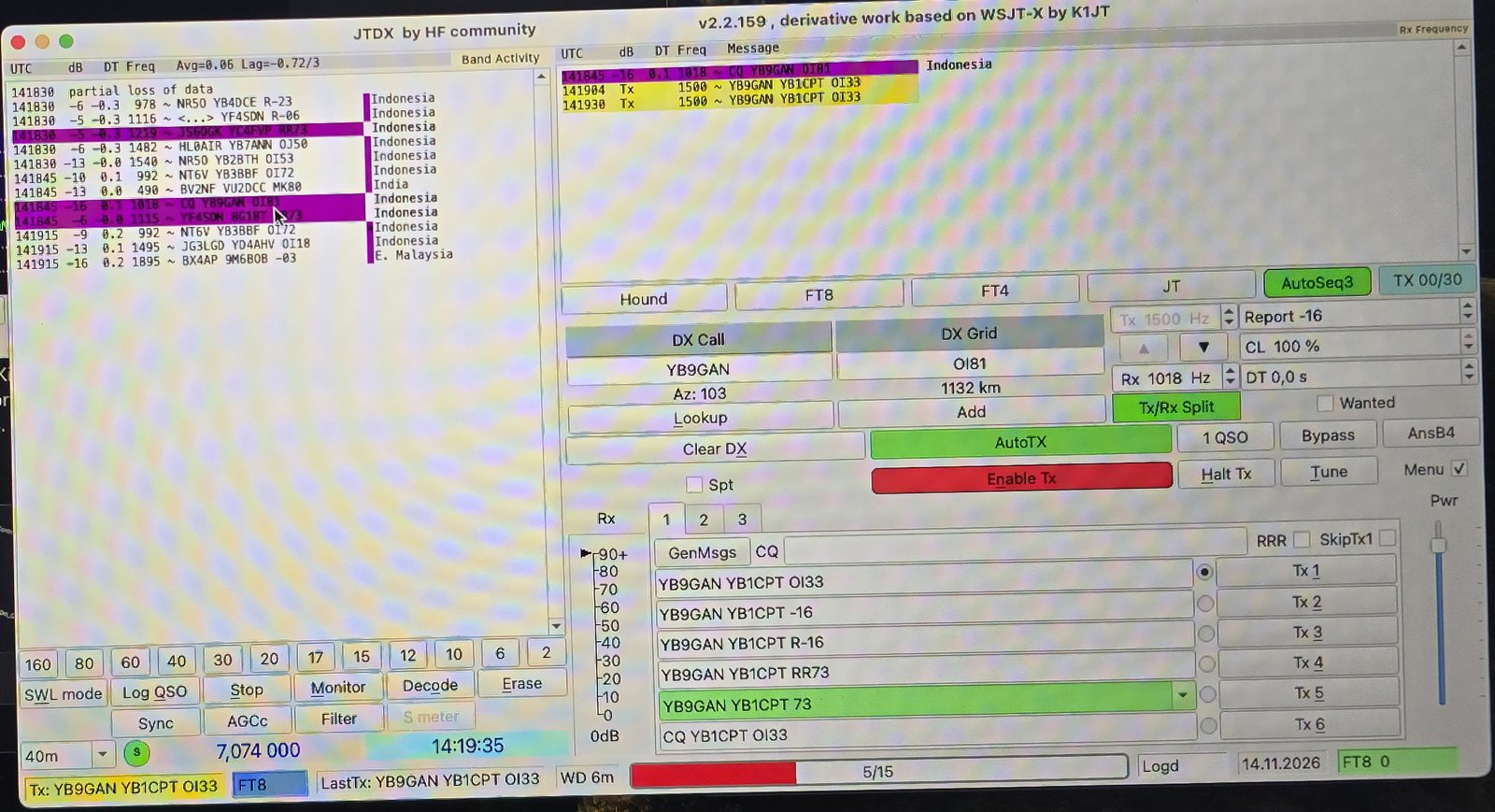
A tip for weekend operators: whenever a Mac program just disappears, start it from Terminal. The last lines printed before it closes nearly always name the culprit.
8 · Where the log lives
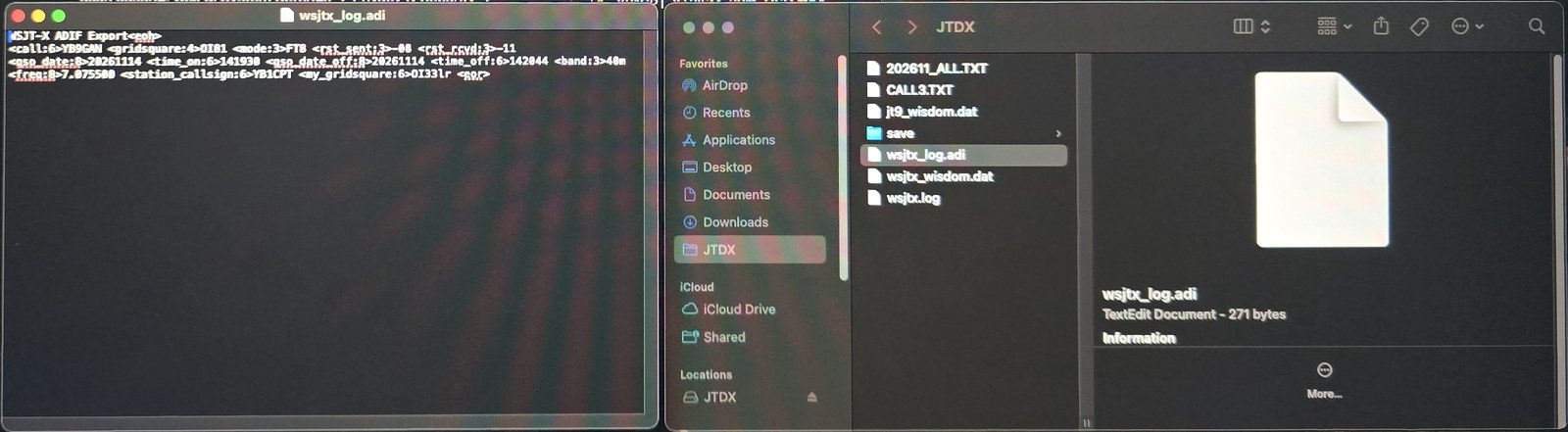
Every QSO confirmed in the Log QSO window is written to an ADIF file:
~/Library/Application Support/JTDX/wsjtx_log.adiThe Library folder is hidden. In Finder, press ⇧⌘G, paste the path, then drag the JTDX folder into Favorites. For now I upload this file by hand on logbook.qrz.com (ADIF import). QRZ skips QSOs it already has, so uploading the whole file again is harmless.
9 · Easier on the eyes
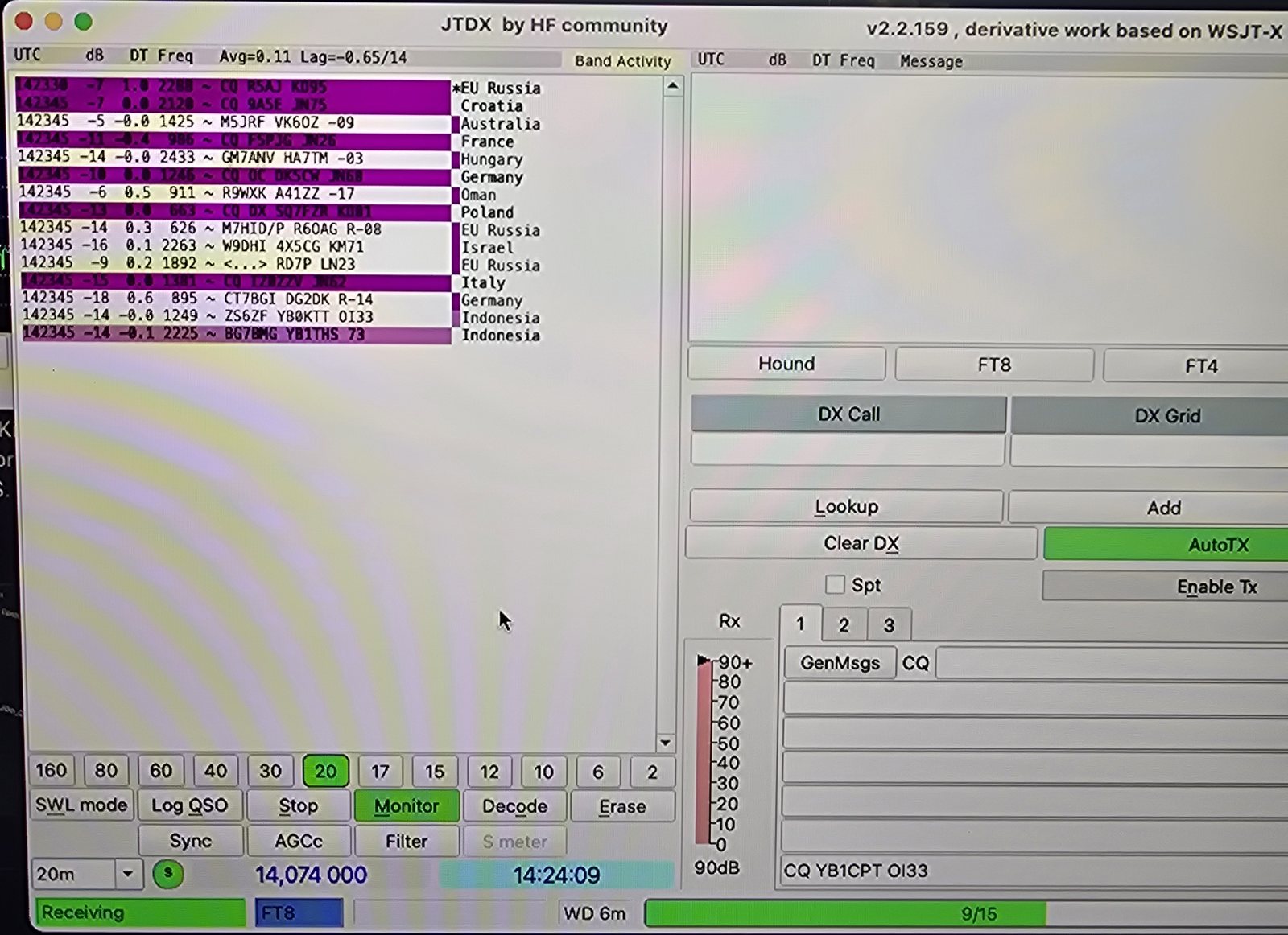
The default decode font is small on a 24-inch monitor. Under JTDX → Preferences → General, the Decoded Text Font… button lets you choose a bigger one. Keep it monospaced (Menlo, Monaco or Courier New) so the UTC, dB, DT and Freq columns stay lined up.
Results of the night
| UTC | Call | Band | Grid | Sent / Rcvd |
|---|---|---|---|---|
| 14:19 | YB9GAN | 40 m | OI81 | −08 / −11 |
| 14:30 | VK2LAW | 20 m | QF56 (5,444 km) | −08 / −04 |
When it misbehaves
| Symptom | Most likely cause |
|---|---|
| "Unable to create shared memory segment" | macOS shared memory limit too low. Apply the sysctl / LaunchDaemon fix |
| Waterfall empty | Microphone permission not granted, or the wrong sound device selected |
| Test CAT stays red | Wrong serial port, CAT RATE on the radio does not match, or CAT/LIN/TUN not set to CAT |
| JTDX quits on double-click or when called | gen9.f90 bug in the official macOS build. Use JTDX improved |
| Input meter near 90 dB | FT-857 DATA output too hot for the Digirig. Use the Digirig ATT pad (next article) |
Coming next
- The Digirig ATT modification: bringing the FT-857D's receive level down to where it belongs
- Automatic QRZ uploads on the Mac: JTDX → RUMlogNG → QSO Upload Utility, so the log reaches QRZ.com the moment I press OK, just like N3FJP ACLog does on Windows
Written for baron.id · 73 de YB1CPT